
Leads and CRM
Capture forms, check fields, classify inquiries, suggest routing, prepare follow-ups, and update records after duplicate checks.
AI automation · workflows
We connect the tools you already use, add AI where interpretation helps, and keep people in control of consequential actions.
Prefer to talk? Book a free 15-minute call →Free intro call · custom quote. Pricing varies by project. Final price depends on scope and is confirmed in writing before work begins. Software subscriptions are separate.
How it works
Sometimes the right answer is a simple rule, an integration, or a better form. We use AI where it actually helps.
Map the real work, who owns it, and what starts it.
Define the data, rules, approvals, and what happens when something is missing.
Connect approved tools and test normal and failed paths, including retries and duplicates.
Introduce it with the right controls, then review quality and exceptions.
What’s included
These are possible workflow areas, not claims about a past client or a promise that every task can run unattended.
Capture forms, check fields, classify inquiries, suggest routing, prepare follow-ups, and update records after duplicate checks.
Sort requests, draft responses from approved information, and escalate cases that need a person.
Extract and check information, prepare recurring reports, create tasks, and request approvals.
Customer replies, record changes, and sensitive actions can wait for a person to approve them.
Your existing CRM, email, forms, spreadsheets, or platforms when access and integrations are available.
Normal and failed paths tested, including retries and duplicates, with a record of what happened.
Example work
Workflows and AI products we built and run. The agents are private workflows, shown here as screenshots.
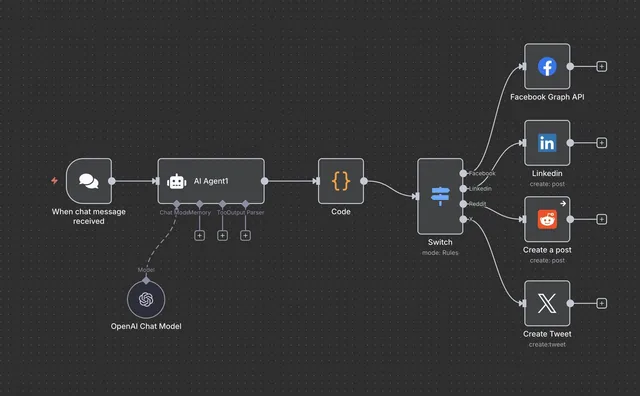
Content is generated, reviewed by AI, and approved posts are published to LinkedIn, Facebook, Reddit, and X. Saves 10-15 hours a week.
Read the case study →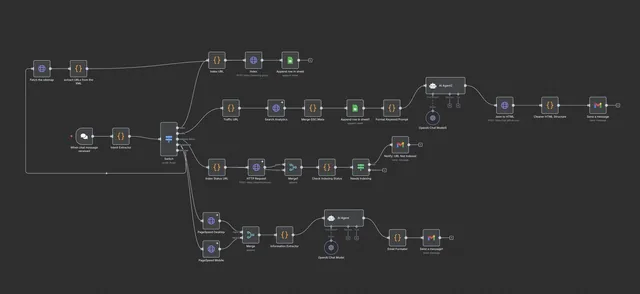
Checks indexing through Google Search Console, uses AI to analyze gaps and errors, and sends a plain report by email or Slack.
Read the case study →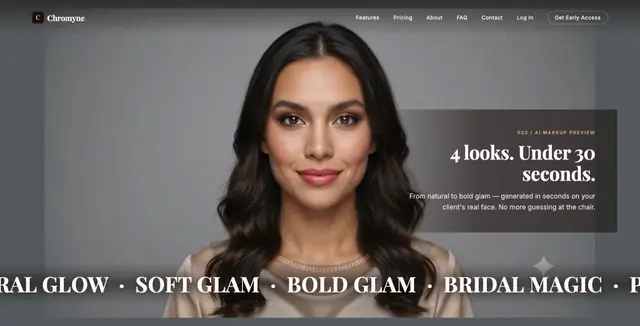
A B2B web app where a stylist reviews realistic AI previews with the client before the service starts. Built and operated by Nazam LLC.
See the product →FAQ
Not sure it fits? Send the short form at the top of this page and we’ll tell you honestly.
Only where you decide it should. Low-risk steps can run automatically; customer replies, record changes, and sensitive actions can wait for a person to approve them.
Rarely. We use your existing CRM, email, forms, spreadsheets, or platforms when access and integrations are available.
Not always. Many workflows are better as clear rules with AI for one step. We recommend an agent only when the work needs adaptive decisions.
Every automation gets a custom quote, because pricing varies by project. Scope and price are confirmed in writing before work begins.
We design the stop path, not only the happy path: hold, retry safely, or escalate to a person, with a record of what happened.
Free intro call
Prefer to talk it through? Pick a time that suits you. We’ll listen, answer your questions, and give you honest next steps.
Calendar not loading? Open the booking page in a new tab ↗
Free intro call
Scope, price, and timeline are agreed in writing before any work begins.